
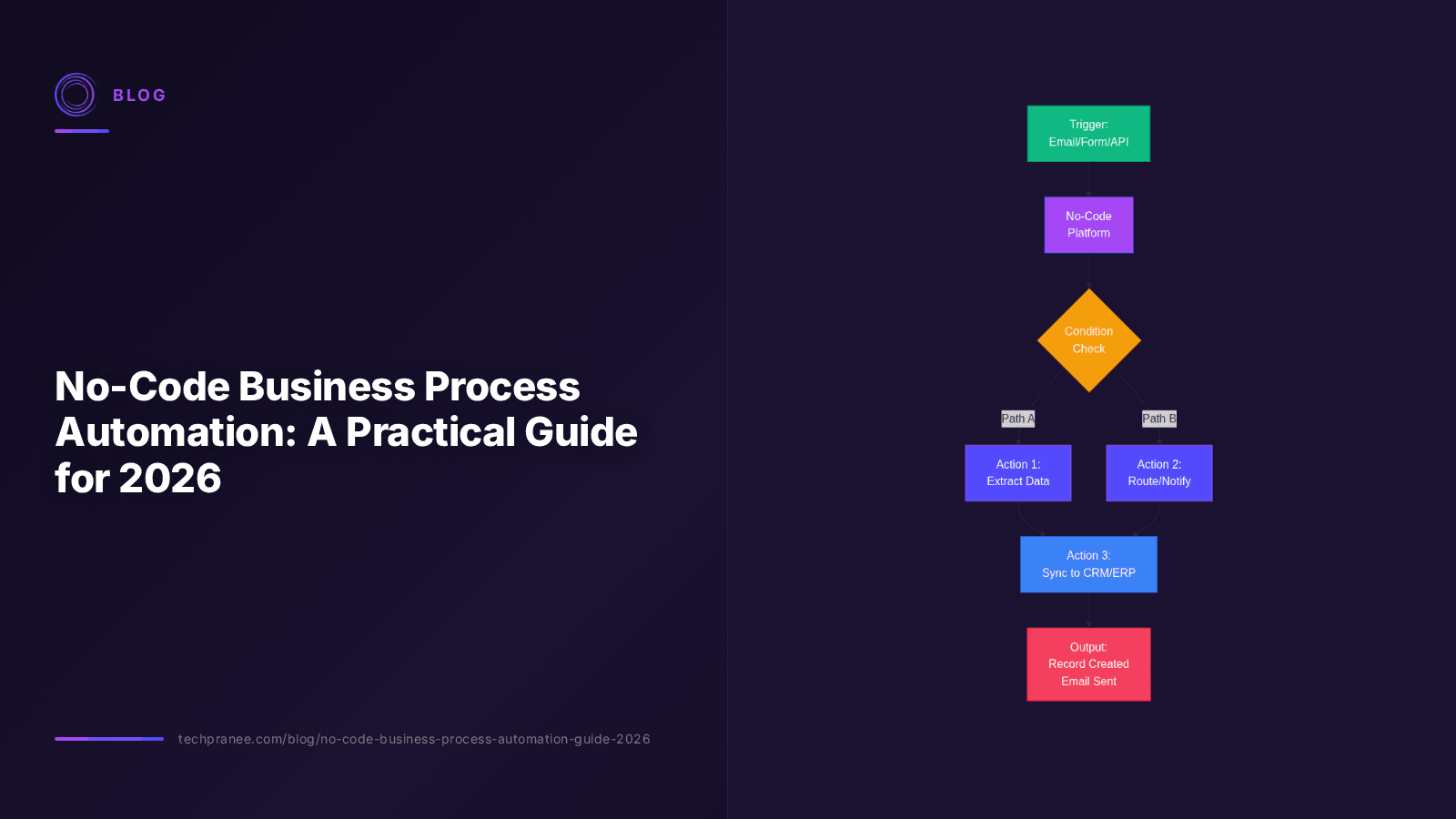
Key Takeaways:
- No-code business process automation lets non-technical teams build workflows visually — no developers required.
- The global no-code/low-code market is projected to reach $148 billion by 2030 (Gartner, 2025).
- Top use cases include invoice processing, employee onboarding, customer support routing, and approval chains.
- Platforms like n8n, Make, and Zapier integrate with 500+ apps out of the box.
- A well-designed no-code automation stack can cut operational costs by 30-50% within the first year (McKinsey, 2025).
Executive Summary
Business process automation used to mean hiring developers, writing custom scripts, and maintaining fragile integrations. Not anymore. No-code business process automation platforms have democratized workflow automation — allowing operations managers, HR teams, finance departments, and marketing leaders to build automated workflows without writing a single line of code.
If your team is still manually copying data between spreadsheets, sending the same approval emails, or processing invoices by hand, you're leaving hours of productivity on the table every week. This guide breaks down what no-code business process automation is, how it works, what platforms to consider, and how to implement it in your organization — step by step.
Whether you're a small business owner looking to streamline operations or an enterprise leader exploring automation strategy, this guide gives you the practical framework to evaluate, select, and deploy no-code automation tools that deliver measurable ROI.
What Is No-Code Business Process Automation?
No-code business process automation (BPA) is the practice of designing, building, and deploying automated workflows using visual drag-and-drop interfaces instead of traditional programming. You connect triggers, actions, and conditional logic on a canvas — the platform handles the underlying code, API calls, and data transformations.
The key distinction from traditional automation is who builds it. With no-code platforms, the people who understand the process best — operations managers, department heads, business analysts — can build the automation themselves. No IT bottleneck. No development queue. No waiting weeks for a feature request to move through sprints.
No-Code vs. Low-Code vs. Traditional Development
| Approach | Who Builds It | Time to Deploy | Flexibility | Maintenance |
|---|---|---|---|---|
| No-code | Business users | Hours to days | Moderate | Platform-managed |
| Low-code | Citizen developers + IT | Days to weeks | High | Shared responsibility |
| Traditional | Software engineers | Weeks to months | Unlimited | Developer-owned |
No-code platforms sit at one end of the spectrum — maximum accessibility, moderate flexibility. They're ideal for standard workflows: data entry, notifications, approvals, syncing records between systems. When you need custom algorithms, complex data transformations, or proprietary integrations, low-code or traditional development becomes necessary.
Why No-Code Automation Matters in 2026
The business case for no-code automation has never been stronger. Three converging trends are driving adoption:
1. The developer shortage is real. The U.S. Bureau of Labor Statistics projects a shortfall of over 1 million software developers by 2026. Companies can't hire enough engineers to build every internal tool they need. No-code platforms shift the burden away from scarce developer resources. 2. SaaS fragmentation demands integration. The average enterprise uses 130+ SaaS applications (BetterCloud, 2025). Every new tool creates a new integration gap. No-code platforms like n8n and Make act as the connective tissue between these disconnected systems. 3. AI has made automation smarter. Modern no-code platforms now embed AI capabilities — natural language processing for document classification, AI-powered data extraction, and intelligent routing. What used to require a dedicated ML pipeline is now a drag-and-drop node.According to Gartner's 2025 forecast, by 2027, 70% of new applications developed by enterprises will use low-code or no-code platforms. The shift is already underway.
Top Use Cases for No-Code Business Process Automation
1. Invoice and Expense Processing
Manual invoice processing costs businesses $12-15 per invoice (Aberdeen Group). No-code automation cuts that to under $2. The workflow:
- Trigger: Email attachment received (invoice PDF)
- Action 1: AI extracts vendor name, amount, due date, and line items
- Action 2: Match against purchase orders in your ERP
- Action 3: Route to approver based on amount threshold
- Action 4: Post to accounting software (QuickBooks, Xero, SAP)
- Action 5: Send confirmation email to vendor
2. Employee Onboarding
Onboarding involves 20+ tasks across HR, IT, Finance, and Facilities. No-code automation orchestrates the entire sequence:
- Trigger: New hire record created in HRIS (BambooHR, Workday)
- Action: Create email account → Provision software licenses → Order equipment → Schedule orientation → Assign buddy → Set up payroll
- Conditional logic: Different tracks for remote vs. on-site employees
3. Customer Support Routing
Instead of a human triaging every support ticket, automation handles it instantly:
- Trigger: New ticket in helpdesk (Zendesk, Intercom)
- Condition: If priority = "urgent" AND customer tier = "enterprise" → route to senior agent + Slack alert
- Condition: If category = "billing" → route to finance team
- Condition: If category = "bug" → create Jira ticket + notify engineering
- Action: Send acknowledgment email to customer with expected response time
4. Sales Lead Qualification
- Trigger: New form submission on website
- Action 1: Enrich lead data (Clearbit, ZoomInfo)
- Action 2: Score lead based on company size, industry, and intent signals
- Condition: If score > 75 → assign to sales rep + create CRM opportunity + send calendar link
- Condition: If score < 50 → add to nurture campaign
- Action: Log all activity in CRM (Salesforce, HubSpot)
5. Approval Workflows
The most common automation use case — multi-step approvals:
- Trigger: Document submitted for approval
- Step 1: Manager review (auto-assign based on submitter's department)
- Step 2: Finance review (if amount > $10,000)
- Step 3: Executive sign-off (if amount > $50,000)
- Each step: 48-hour SLA with automatic reminder emails
- Final: Notify submitter + archive document
Top No-Code Automation Platforms Compared
| Platform | Best For | Pricing Starts At | Self-Hostable | AI Nodes | Free Tier |
|---|---|---|---|---|---|
| n8n | Technical teams, privacy-first | $20/mo (cloud) | Yes (open source) | Yes | Yes (community) |
| Make | Complex multi-step workflows | $9/mo | No | Yes | Yes (1,000 ops) |
| Zapier | Simple 2-step automations | $19.99/mo | No | Yes | Yes (100 tasks) |
| Microsoft Power Automate | Microsoft 365 shops | $15/user/mo | No | Yes | Yes (limited) |
| Workato | Enterprise-grade | Custom | No | Yes | No |
Why n8n Stands Out for Self-Hosters
n8n is the only major no-code platform that offers a self-hosted option at no cost. For organizations with data sovereignty requirements, compliance constraints, or simply a preference for owning their infrastructure, n8n's community edition is a compelling choice. You get 400+ integration nodes, AI-powered capabilities, and full control over your data — all without vendor lock-in.
Read more about workflow automation strategy in our guide to cloud-based workflow automation.
Step-by-Step Guide: Implementing No-Code Automation in Your Business
Step 1: Map Your Processes
Before touching any tool, document the workflows you want to automate. For each process, capture:
- Trigger: What starts the workflow? (email received, form submitted, record updated)
- Inputs: What data is needed? (names, amounts, documents)
- Steps: What happens in sequence?
- Decisions: Where does the workflow branch?
- Outputs: What's the end result? (record created, email sent, status updated)
- Exceptions: What happens when something goes wrong?
Use a simple flowchart tool (Lucidchart, Miro) or even pen and paper. The goal is clarity — if you can't draw the process, you can't automate it.
Step 2: Score and Prioritize
Not every process is worth automating. Score each candidate on:
| Criteria | Question | Score (1-5) |
|---|---|---|
| Volume | How many times per week does this run? | |
| Time per instance | How many minutes does each instance take? | |
| Error rate | How often do mistakes happen manually? | |
| Complexity | How many steps and conditions? | |
| Stability | Does the process change frequently? |
Processes scoring highest are your quick wins. Start there.
Step 3: Choose Your Platform
Match the platform to your needs:
- Data sovereignty matters → n8n (self-hosted)
- Maximum integrations → Zapier (7,000+ apps) or Make (1,500+ apps)
- Microsoft-centric stack → Power Automate
- Enterprise governance → Workato or ServiceNow Flow Designer
- Budget-constrained → n8n community edition (free, self-hosted)
Step 4: Build Your First Workflow
Start with a simple, high-impact workflow — not your most complex process. A good first automation:
- Has a clear, reliable trigger (e.g., new row in Google Sheets)
- Involves 2-3 steps maximum
- Connects tools you already use daily
- Produces a visible result (notification, updated record, sent email)
Build it on the platform's visual canvas. Test with real data. Watch each step execute. Fix errors. Test again.
Step 5: Add Error Handling
Every automation needs a failure path. Without it, a broken workflow silently fails and nobody notices until damage is done. Build in:
- Error notifications: Slack or email alert when a step fails
- Retry logic: Automatically retry transient failures (API timeouts, rate limits)
- Fallback actions: If integration A fails, try integration B or queue for manual review
- Logging: Record every execution with timestamps and step-level status
Step 6: Deploy and Monitor
Once tested, deploy to production. Set up monitoring:
- Dashboard showing workflow execution count, success rate, and average duration
- Alerts for failure rate exceeding 5%
- Weekly review of automation performance
- Monthly optimization pass — remove unused workflows, tune slow steps
Step 7: Scale Across Teams
After your first successful automation, scale the practice:
- Train team leaders on the no-code platform
- Create a library of reusable workflow templates
- Establish governance: naming conventions, documentation standards, review process
- Track ROI: hours saved, error reduction, cycle time improvement
Common Pitfalls to Avoid
"The biggest mistake teams make is automating a broken process. Automation doesn't fix bad workflows — it just makes them fail faster." — Principle from Lean process improvement, widely cited in Deloitte's 2025 automation report.
Pitfall 1: Automating Chaos
If your manual process is inconsistent — different people do it differently, steps get skipped, exceptions are undocumented — automating it will produce unreliable results. Standardize first, automate second.
Pitfall 2: Over-Automating
Not every task needs automation. High-volume, repetitive, rule-based tasks are ideal. Low-volume, judgment-heavy, one-off tasks are not. Automating a process that runs twice a month is a waste of build time.
Pitfall 3: Ignoring Edge Cases
Workflows that work for 95% of cases and fail silently on the other 5% are dangerous. Build explicit handling for edge cases: missing data, unusual formats, unexpected responses. A simple "if error, notify human" node saves hours of debugging.
Pitfall 4: Vendor Lock-In
Some platforms make it easy to build workflows but hard to export them. If you build 50 workflows on a proprietary platform and they raise prices 40%, your switching cost is enormous. Prefer platforms with export capabilities and open standards. n8n's open-source model mitigates this entirely.
Cost Breakdown: No-Code Automation ROI
| Scenario | Manual Cost (Annual) | Automation Cost (Annual) | Savings |
|---|---|---|---|
| Invoice processing (500/mo) | $90,000 | $2,400 (platform) + $8,000 (setup) | $79,600 |
| Employee onboarding (10/mo) | $36,000 | $1,200 (platform) + $3,000 (setup) | $31,800 |
| Support ticket routing (2,000/mo) | $54,000 | $2,400 (platform) + $5,000 (setup) | $46,600 |
| Lead qualification (500/mo) | $28,800 | $1,200 (platform) + $4,000 (setup) | $23,600 |
The ROI is typically realized within 2-4 months of deployment for high-volume processes.
Checklist: Is Your Process Ready for No-Code Automation?
- ✓ The process is well-documented and consistent across team members
- ✓ It runs at least 10 times per week
- ✓ Each instance takes 5+ minutes manually
- ✓ The steps are rule-based, not requiring human judgment
- ✓ The trigger is digital (email, form, database update, API event)
- ✓ The inputs and outputs are structured data (not free-text judgment calls)
- ✓ The integrations you need are supported by your chosen platform
- ✓ You have someone available to maintain the workflow (update it when APIs change)
If you can check 6+ of these boxes, your process is ready. If you check fewer than 4, standardize the process first.
The Role of AI in No-Code Automation
AI is transforming what's possible with no-code platforms. In 2026, modern no-code tools include:
- Intelligent document processing: Extract data from invoices, contracts, and forms using AI-powered OCR and NLP — no templates needed.
- Natural language workflow building: Describe what you want in plain English ("When a new lead comes in, check their company size, and if they have more than 50 employees, assign to enterprise sales") and the platform generates the workflow.
- Smart routing: AI models classify and route items (support tickets, leads, documents) based on content, not just rules.
- Predictive triggers: Automation can fire based on predicted outcomes — e.g., trigger a retention workflow when a customer's churn risk score crosses a threshold.
This convergence of no-code and AI means processes that were too unstructured for automation in 2023 are now automatable. The barrier isn't technical capability — it's process clarity.
Practical Action Items
- Audit your team's repetitive tasks this week. List every task that involves copying data between systems, sending the same type of email, or following a checklist. You'll likely find 10-20 candidates.
- Score your top 5 candidates using the prioritization formula above. Pick the highest-scoring process as your pilot.
- Sign up for a free tier of n8n (self-hosted) or Make (cloud) and build your first workflow. Spend no more than 4 hours on the pilot — if it's taking longer, the process is too complex for a first automation.
- Measure before and after. Track time spent on the task manually (before) vs. time spent managing the automation (after). Calculate your weekly time savings.
- Scale what works. Once your pilot is stable, build a second automation. Create internal documentation so other team members can build their own.
Ready to automate your business processes but not sure where to start? Talk to our automation team — we'll map your workflows, recommend the right platform, and build your first automation in days, not months. Explore our workflow automation services and our guide to automating repetitive tasks for more strategies.
Frequently Asked Questions
What is no-code business process automation?
No-code business process automation is the use of visual, drag-and-drop platforms to design and deploy automated workflows without writing code. Business users connect triggers, actions, and conditions on a visual canvas, and the platform handles the underlying API calls, data transformations, and execution logic.
How much does no-code automation cost?
Costs range from free (n8n self-hosted community edition) to $20-50/month for small team plans on Make or Zapier, to $15/user/month for Microsoft Power Automate, to enterprise pricing ($1,000+/month) for platforms like Workato. Most businesses see positive ROI within 2-4 months for high-volume processes.
Can no-code automation handle complex workflows?
Yes, modern no-code platforms support multi-step workflows with branching logic, loops, error handling, retries, and sub-workflows. However, extremely complex scenarios involving custom algorithms, real-time data processing, or proprietary system integrations may require low-code or traditional development. The key is knowing where the line is.
Is no-code automation secure?
Security depends on the platform and your configuration. Self-hosted options like n8n give you full control over data residency and access. Cloud platforms (Zapier, Make) offer enterprise security features including SOC 2 compliance, encryption at rest and in transit, and granular access controls. Always review a platform's security certifications before deploying with sensitive data.
What's the difference between no-code and low-code automation?
No-code platforms require zero coding — everything is done through visual interfaces. Low-code platforms allow developers to add custom code snippets within a visual framework, offering more flexibility for complex logic. No-code is ideal for business users; low-code suits teams with some technical capability who need more customization.
How do I choose between n8n, Make, and Zapier?
Choose n8n if you need self-hosting, data privacy, or cost control (free community edition). Choose Make for complex multi-step workflows with advanced logic at a lower price point. Choose Zapier for simplicity and the largest integration ecosystem (7,000+ apps). For most businesses, starting with a free tier of any platform and testing a pilot workflow is the best way to decide.