
Key Takeaways:
- AI document processing software uses OCR, NLP, and machine learning to extract structured data from unstructured documents automatically
- Businesses implementing AI document processing reduce manual data entry by 80-90% and cut processing costs by up to 70%
- Key features to evaluate include accuracy rates, template flexibility, integration capabilities, and pricing models
- The right solution depends on document volume, document types, compliance requirements, and existing tech stack
- Implementation typically takes 4-8 weeks with ROI achieved within 3-6 months for most organizations
AI Document Processing Software: How to Choose, What It Costs, and Top Features
AI document processing software is transforming how businesses handle the mountains of paperwork that slow down operations — invoices, contracts, claims, applications, and receipts that pile up in inboxes and filing cabinets. If your team is still manually keying data from documents into your ERP, CRM, or accounting system, you're burning thousands of hours and dollars on work that machines now do faster and more accurately.
In this guide, we'll break down what AI document processing software actually does, how it compares across vendors, what it costs, and how to choose the right solution for your business. Whether you're processing 500 invoices a month or 50,000 insurance claims a quarter, the right tool can pay for itself within months.
What Is AI Document Processing Software?
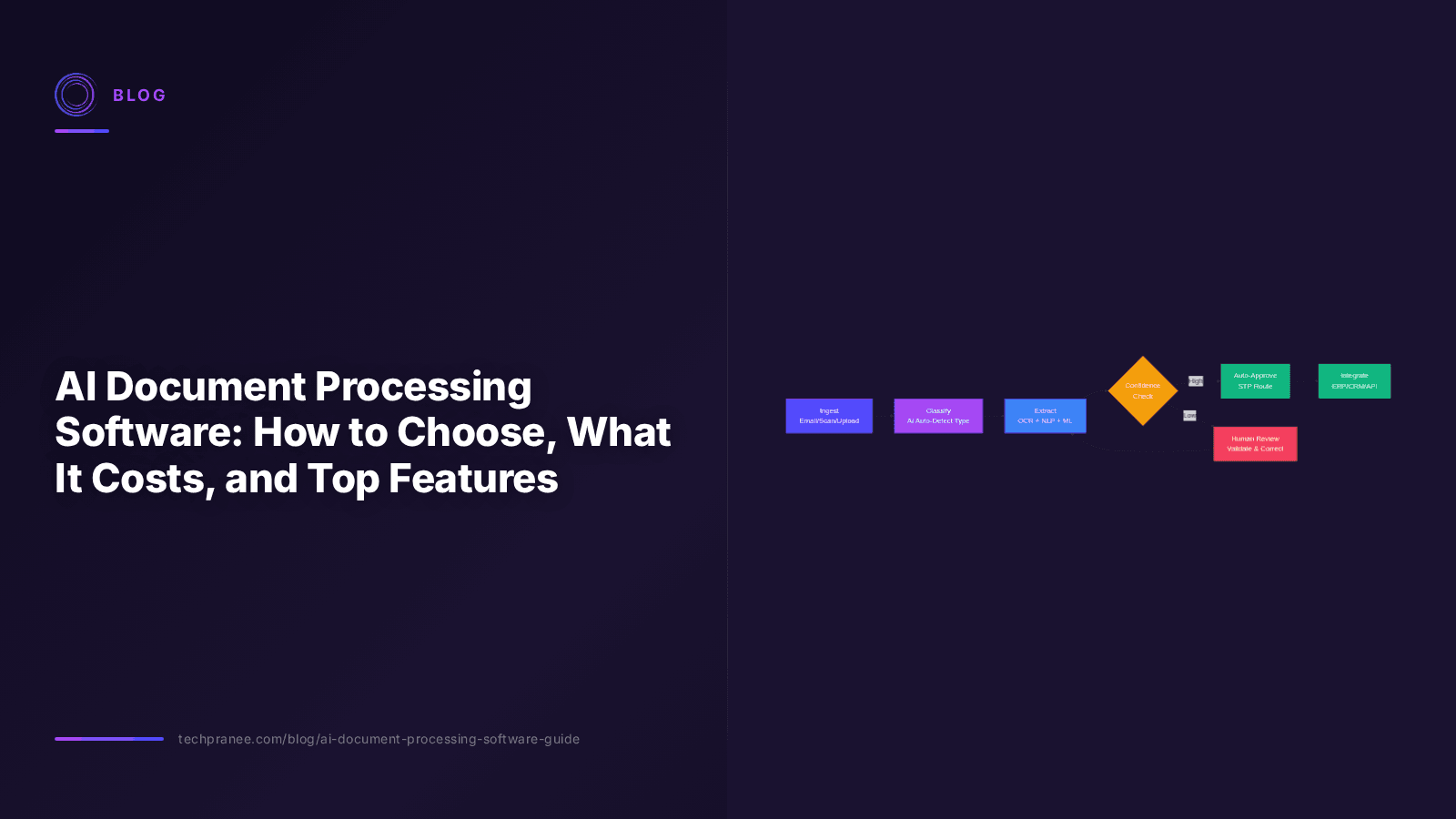
AI document processing software — also called Intelligent Document Processing (IDP) — uses a combination of Optical Character Recognition (OCR), Natural Language Processing (NLP), and machine learning models to automatically extract structured data from unstructured or semi-structured documents. Unlike traditional OCR, which simply digitizes text, AI document processing understands context, classifies document types, and maps extracted data to specific fields in your business systems.
Think of it this way: traditional OCR reads the words on a page. AI document processing understands what those words mean. It knows that "Invoice #4821" is an invoice number, that "$12,450.00" is the total amount, and that "Net 30" refers to payment terms — and it routes all of that data to the right fields in your accounting software automatically.
Core Technologies Behind AI Document Processing
Modern AI document processing platforms combine several AI technologies:
- OCR (Optical Character Recognition): Converts scanned images and PDFs into machine-readable text
- NLP (Natural Language Processing): Understands the semantic meaning of extracted text — identifies entities, relationships, and context
- Machine Learning Models: Learn from corrections and improve accuracy over time without manual template configuration
- Computer Vision: Handles layouts, tables, signatures, stamps, and handwritten text
- LLMs (Large Language Models): Latest-generation platforms use LLMs for zero-shot extraction — understanding document structure without any training data
Why Businesses Need AI Document Processing in 2026
According to a 2025 McKinsey report, knowledge workers spend nearly 30% of their workday searching for, organizing, and processing information — much of it locked in documents. The same report found that document-heavy industries like insurance, healthcare, and financial services could automate 60-70% of document-related tasks with current AI capabilities.
The numbers speak for themselves:
- Manual data entry errors: Studies show manual data entry has an error rate of 1-4%, while AI document processing achieves 95-99%+ accuracy
- Processing speed: A human takes 3-10 minutes per document; AI processes the same document in 2-15 seconds
- Cost savings: Deloitte estimates that automated document processing reduces per-document costs by 60-80% compared to manual processing
- Scalability: AI systems handle volume spikes (month-end invoicing, open enrollment, claim surges) without hiring temporary staff
Common Use Cases by Industry
| Industry | Document Types | Key Benefit |
|---|---|---|
| Finance & Accounting | Invoices, purchase orders, receipts, bank statements | Automated AP/AR processing, faster month-end close |
| Insurance | Claims forms, policy documents, medical records | Faster claims adjudication, reduced fraud |
| Healthcare | Patient intake forms, EOBs, medical charts | Compliance with HIPAA, faster patient onboarding |
| Logistics | Bill of lading, customs forms, delivery notes | Real-time shipment tracking, customs automation |
| HR & Onboarding | Resumes, ID verification, employment contracts | Faster hiring cycles, compliance automation |
| Legal | Contracts, court filings, discovery documents | Contract review automation, faster due diligence |
Key Features to Look For in AI Document Processing Software
Not all AI document processing tools are created equal. Here are the critical features that separate enterprise-grade solutions from basic OCR wrappers:
1. Accuracy and Learning Capability
The most important metric is straight-through processing (STP) rate — the percentage of documents processed without human intervention. Top solutions achieve 85-95% STP for structured documents and 70-85% for semi-structured ones. Look for platforms that learn from corrections — every time a human validates or fixes an extraction, the model should improve.
2. Document Classification
The software should automatically identify document types (invoice vs. receipt vs. contract) without manual sorting. This is critical for organizations processing mixed document batches from email inboxes or shared folders.
3. Integration and API Access
Your document processing tool needs to connect to your existing stack — ERPs (SAP, Oracle, NetSuite), CRMs (Salesforce, HubSpot), accounting software (QuickBooks, Xero), and cloud storage (SharePoint, Google Drive, S3). Look for pre-built connectors and robust REST APIs.
4. Handwriting Recognition
If you process handwritten forms (healthcare intake, insurance applications, legal documents), handwriting recognition (ICR — Intelligent Character Recognition) is essential. Modern LLM-powered solutions handle handwriting far better than older OCR engines.
5. Data Validation and Enrichment
The best tools don't just extract data — they validate it. Cross-referencing extracted vendor names against your vendor master file, checking tax amounts against line items, and flagging discrepancies before the data enters your systems.
6. Security and Compliance
For regulated industries, look for SOC 2 Type II, HIPAA compliance, GDPR compliance, and data residency options. The platform should encrypt data at rest and in transit, with role-based access controls and full audit trails.
7. Human-in-the-Loop Workflow
Even with 95% accuracy, 5% of documents need human review. A good platform provides a review interface where validators can quickly approve, correct, or reject extractions — and those corrections feed back into the model.
AI Document Processing Software Comparison: Top Categories
The market for AI document processing has matured significantly. Here's how the main categories compare:
| Category | Examples | Best For | Pricing Range | Setup Time |
|---|---|---|---|---|
| Enterprise IDP Platforms | ABBYY Vantage, IBM Datacap, Microsoft Azure Document Intelligence | Large organizations with complex document workflows | $2,000-$10,000+/month | 4-12 weeks |
| Mid-Market SaaS | Hyperscience, Rossum, Docsumo, Nanonets | Mid-size businesses needing AP automation or claims processing | $500-$5,000/month | 2-6 weeks |
| Point Solutions | Vic.ai (invoices), Parsel (logistics), DocuSign AI (contracts) | Specific document types with deep workflows | $200-$2,000/month | 1-4 weeks |
| API-First Developer Tools | Google Document AI, AWS Textract, Mindee | Companies building custom document workflows | $0.01-$0.10 per page | 2-8 weeks (dev effort) |
How Much Does AI Document Processing Software Cost?
Pricing models vary significantly across vendors. Understanding the cost structure is critical for budgeting and ROI calculations.
Pricing Models
| Model | How It Works | Typical Cost | Best For |
|---|---|---|---|
| Per-Page / Per-Document | Pay for each page or document processed | $0.01-$0.50 per page | Variable volume, proof of concept |
| Tiered Subscription | Monthly fee for a document volume tier | $500-$10,000/month | Predictable monthly volume |
| Enterprise License | Annual contract with custom volume | $25,000-$200,000+/year | High-volume enterprises |
| Consumption-Based | Pay only for successful extractions | $0.05-$0.20 per document | Quality-sensitive operations |
ROI Calculation: A Real Example
Consider a mid-sized company processing 5,000 invoices per month. At an average of 5 minutes per invoice and $25/hour for data entry staff, that's $10,417/month in labor costs alone. Add error correction, approval delays, and late payment penalties, and the true cost approaches $15,000-$18,000/month.
With AI document processing software at $2,000/month (mid-tier SaaS), processing the same 5,000 invoices automatically with 90% STP:
- Software cost: $2,000/month
- Human review (10% × 5,000 × 2 min): ~$833/month
- Total monthly cost: $2,833
- Monthly savings: $12,000-$15,000
- Annual savings: $144,000-$180,000
- ROI: 500-640% in year one
Step-by-Step Guide: How to Implement AI Document Processing
Implementing AI document processing software doesn't have to be a multi-year digital transformation initiative. Most organizations can go live in 4-8 weeks by following this proven approach:
- Audit Your Document Workflow (Week 1) — Catalog every document type your team processes manually. For each type, note: volume per month, source (email, portal, mail), current processing time, error rate, and downstream system where data needs to flow. Prioritize by volume × pain.
- Define Success Metrics (Week 1) — Set clear targets: target STP rate (start with 80%), maximum processing time per document, acceptable error rate, and ROI timeline. These metrics will guide vendor selection and implementation.
- Evaluate and Select a Vendor (Weeks 2-3) — Request demos with YOUR documents, not sample data. Run a pilot with 200-500 real documents. Compare accuracy, speed, ease of configuration, and integration depth. Check references from companies in your industry.
- Set Up Document Ingestion (Week 3-4) — Configure how documents enter the system: email parsing, folder watching, API endpoints, or direct uploads. Automate document classification so the system routes each document type to the right extraction model.
- Configure Extraction and Validation Rules (Weeks 4-5) — Map extracted fields to your downstream systems. Set up validation rules (e.g., PO numbers must match your ERP, tax calculations must be within 2% of line items). Configure the human review queue for low-confidence extractions.
- Integrate with Downstream Systems (Weeks 5-6) — Connect the document processing output to your ERP, CRM, or accounting system via API or RPA. Set up approval workflows — auto-approve high-confidence extractions above a threshold, route the rest for review.
- Train, Test, and Optimize (Weeks 6-8) — Process a batch of 1,000+ real documents. Review every extraction, correct errors, and feed corrections back into the model. Monitor STP rate, accuracy, and processing time. Iterate until you hit your target metrics.
- Scale and Monitor (Ongoing) — Once the core workflow is stable, expand to additional document types. Set up dashboards for volume, accuracy, STP rate, and cost per document. Schedule monthly model retraining and quarterly workflow reviews.
Implementation Checklist: What You Need Before You Start
Before signing a contract or scheduling implementation, make sure you have these boxes checked:
- ✓ Document volume baseline (at least 500 documents/month to justify software cost)
- ✓ Top 3 document types identified with sample files (at least 50 samples per type)
- ✓ Downstream system identified (where extracted data needs to go)
- ✓ Data security requirements documented (PII, PHI, financial data, compliance frameworks)
- ✓ Stakeholder alignment (operations, IT, finance, compliance all on board)
- ✓ Budget approved (include software, implementation, and change management costs)
- ✓ Success metrics defined (STP rate, accuracy, processing time, ROI timeline)
- ✓ Change management plan (retraining affected staff, communicating the shift)
Common Pitfalls to Avoid
AI document processing isn't a magic button — it's a system that needs training, monitoring, and optimization. The biggest failures we see come from organizations that expect 100% accuracy on day one and don't invest in the human-in-the-loop workflow that gets them there.
Based on implementation experience across multiple industries, here are the most common mistakes:
- Underestimating document variety: You think you have 5 document types, but after auditing, you find 25. Each type needs its own extraction model.
- Ignoring edge cases: Scanned upside-down, handwritten annotations, multi-page documents with mixed layouts — these are where accuracy drops. Test with your messiest documents, not your cleanest.
- Not training the model: AI document processing improves with feedback. If you don't correct errors and feed them back, accuracy plateaus. Budget time for ongoing model training.
- Choosing a tool that doesn't integrate: A tool with 99% accuracy that can't connect to your ERP is useless. Integration capability should be a top-3 evaluation criterion.
- Forgetting about change management: Staff who've done manual data entry for years may resist or fear the technology. Involve them early, show how it eliminates drudge work (not jobs), and retrain them for higher-value review roles.
The Future of AI Document Processing
The latest generation of AI document processing tools is powered by Large Language Models (LLMs) — the same technology behind ChatGPT. These models can understand document structure zero-shot, meaning they process document types they've never seen before without any training data. This dramatically reduces setup time and enables handling of complex, unstructured documents like contracts, medical narratives, and legal briefs.
A 2025 Gartner report predicted that by 2027, 70% of all document processing in large enterprises will be AI-powered, up from 25% in 2024. The technology is no longer experimental — it's becoming the default.
Frequently Asked Questions
How accurate is AI document processing software?
Modern AI document processing software achieves 95-99%+ accuracy for structured documents (invoices, forms) and 85-95% for semi-structured documents (contracts, letters). Accuracy improves over time as the model learns from human corrections. The key metric to track is straight-through processing (STP) rate — the percentage of documents processed without any human intervention.
How much does AI document processing software cost?
Pricing ranges from $0.01-$0.50 per page for API-based tools to $500-$10,000/month for mid-market SaaS platforms. Enterprise licenses typically run $25,000-$200,000+ per year. Most organizations achieve ROI within 3-6 months, with 60-80% cost reduction compared to manual processing.
Can AI document processing handle handwritten documents?
Yes. Modern solutions use Intelligent Character Recognition (ICR) and LLMs to process handwriting. Accuracy for handwriting is typically 80-95%, depending on legibility and consistency. Mixed print-and-handwriting documents (like healthcare intake forms) are increasingly well-handled by newer LLM-powered tools.
Is AI document processing software secure enough for sensitive data?
Enterprise-grade solutions offer SOC 2 Type II, HIPAA, GDPR, and ISO 27001 compliance. Data is encrypted at rest and in transit, with role-based access controls and full audit trails. For highly sensitive data, on-premise or private cloud deployment options are available from vendors like ABBYY and IBM.
How long does it take to implement AI document processing?
Typical implementation takes 4-8 weeks for mid-market solutions and 8-16 weeks for enterprise platforms. The timeline depends on document variety, integration complexity, and model training requirements. A focused pilot with a single document type can go live in 2-3 weeks.
What's the difference between OCR and AI document processing?
OCR (Optical Character Recognition) simply converts images of text into digital text. AI document processing goes further — it understands the meaning of the text, classifies document types, extracts specific fields (invoice number, total amount, vendor name), validates the data, and integrates it into your business systems. OCR is one component of AI document processing, not the whole solution.
Practical Action Items: Your Next Steps
- Audit your document processing costs today. Calculate hours spent, error rates, and downstream costs. Most organizations are shocked at the true cost of manual processing.
- Identify your top 3 document types by volume. These are your pilot candidates. Start with the highest-volume, most-structured document type for fastest ROI.
- Request pilot evaluations from 3 vendors. Provide 200-500 real documents (not samples) and compare accuracy, speed, and ease of use side by side.
- Build the business case. Use the ROI calculation framework above. Include software cost, implementation cost, change management, and projected savings. Most business cases pay for themselves in 3-6 months.
- Explore workflow automation services to accelerate implementation. An experienced partner can cut your time-to-value in half and help you avoid common pitfalls.
AI document processing software isn't a future technology — it's available today, proven across industries, and delivering measurable ROI within months. The question isn't whether to adopt it, but how quickly you can deploy it to stop burning money on manual data entry. If your team processes more than 500 documents per month, you're likely already losing money every day you wait.
Ready to automate your document workflows? Talk to our team about how workflow automation can cut your document processing costs by 60-80%.